
AI BDSM Scenario Planner Guide
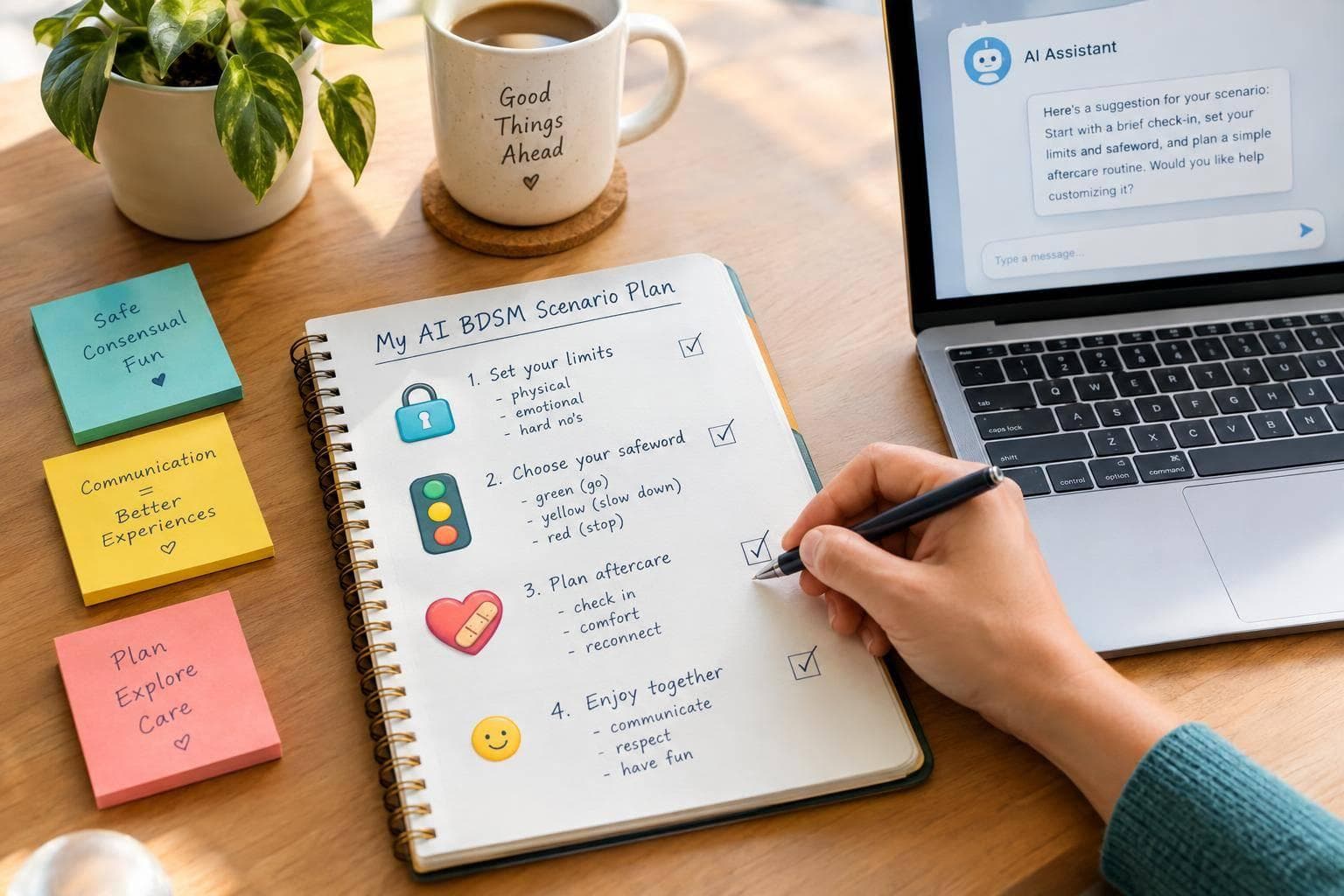
AI BDSM Scenario Planner Guide
I use AI to draft a non-graphic BDSM scene plan - not to give consent or judge safety. For adults 18+, I start with roles, limits, and stop rules, then review the draft before any fictional chat begins.
My checklist covers 3 steps:
- Set boundaries: Choose roles and a purpose, list hard and soft limits, and share only the personal details needed.
- Set the pace: Agree on mood, duration, check-ins, safewords, and an optional wind-down. <u>“Stop” ends the scene immediately.</u>
- Check the plan: Remove assumed permission, approve each phase, and keep in-person AI planning limited to communication and negotiation - not physical techniques.
I keep human consent and aftercare separate from AI. If the AI ignores a limit or stop command, I leave the chat. Afterward, I record brief, private notes and decide whether to revise, reuse, or retire the plan - with renewed agreement before reuse.
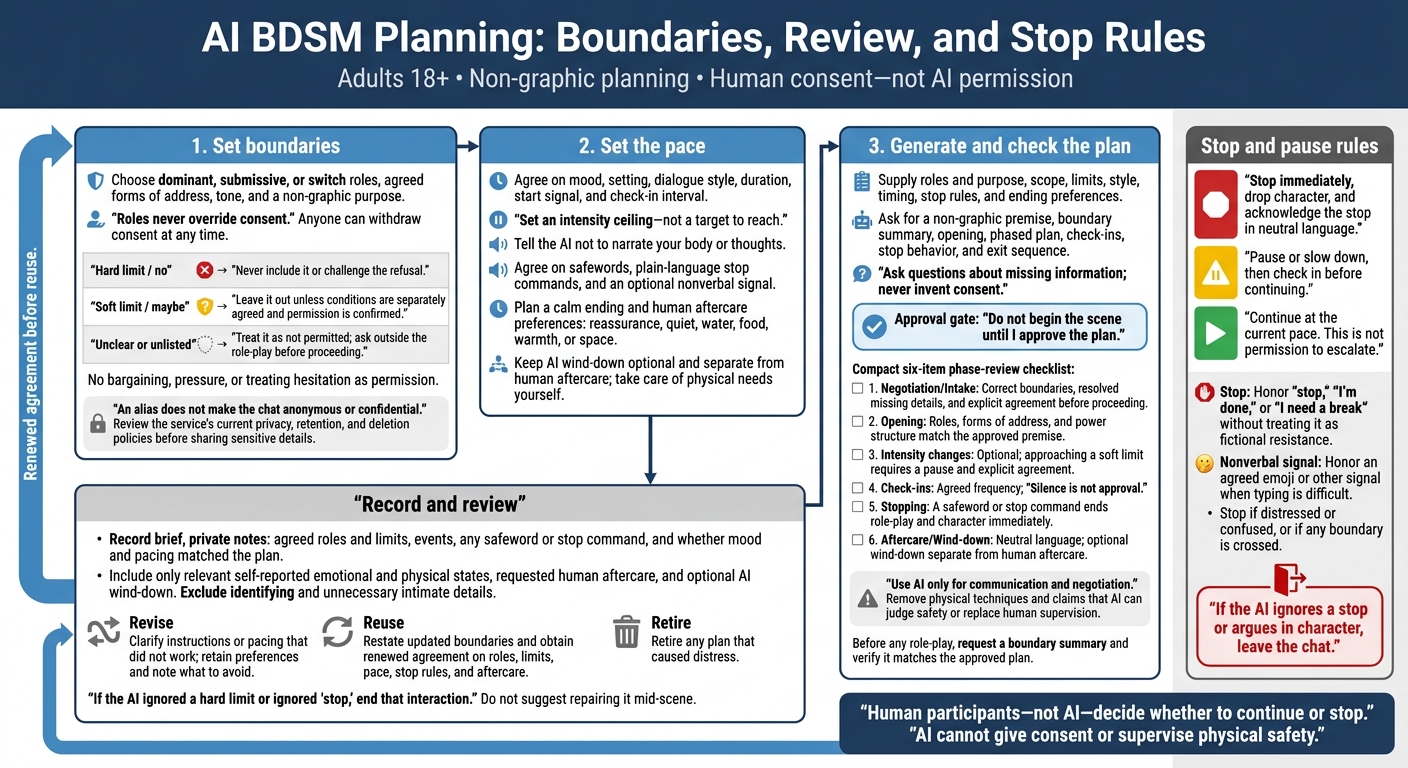
AI BDSM Planning: Boundaries, Review, and Stop Rules
Step 1: Set Roles and Limits
Use intake to turn the introduction’s consent rules into a short scene brief. This gives the AI a clear prompt for planning.
Choose Roles and Scene Purpose
Specify the dominant, submissive, or switch roles, agreed forms of address, tone, and a non-graphic purpose. Ask the AI to restate the boundaries before it generates a plan. Roles never override consent, and anyone can withdraw consent at any time.
Then connect those roles to clear boundaries.
List Hard and Soft Limits
Use a yes/no/maybe list to set limits on themes and intensity. Hard limits are absolute refusals. Soft limits require permission.
| Boundary status | Rule for the planner |
|---|---|
| Hard limit / no | Never include it or challenge the refusal. |
| Soft limit / maybe | Leave it out unless conditions are separately agreed and permission is confirmed. |
| Unclear or unlisted | Treat it as not permitted; ask outside the role-play before proceeding. |
Tell the AI not to bargain, pressure anyone, or treat hesitation as permission. It must restate these boundaries before generating a plan.
Share Only the Minimum Personal Information
Use aliases. Leave out real names, contact details, employers, exact locations, and health information the planner doesn’t need. Describe accessibility needs only in enough detail to support planning.
An alias does not make the chat anonymous or confidential. Before sharing sensitive details in AI Mistress Webchat, review its current privacy, retention, and deletion policies.
sbb-itb-97c8eab
Step 2: Set Mood, Pace, and Stop Rules
Choose Mood, Setting, and Duration
Once roles and limits are set, decide on the scene’s tone and stop rules.
Specify the mood, setting, dialogue style, and how much narration you want from the AI. Add the time of day and a few room details to ground the scene. Agree on a duration, start signal, and check-in interval.
Set an intensity ceiling - not a target to reach. Keep the pace steady and ask for short check-ins. Tell the AI not to narrate your body or thoughts.
Then spell out exactly how to pause or stop the scene.
Set Safewords and Stop Conditions
| Signal | Required response |
|---|---|
| Red | Stop immediately, drop character, and acknowledge the stop in neutral language. |
| Yellow | Pause or slow down, then check in before continuing. |
| Green | Continue at the current pace. This is not permission to escalate. |
| Stop | Honor “stop,” “I’m done,” or “I need a break” without treating it as fictional resistance. |
| Nonverbal signal | Honor an agreed emoji or other signal when typing is difficult. |
Stop if you feel distressed or confused, or if any boundary is crossed.
If typing is difficult, state what’s happening directly when possible, or use the agreed nonverbal signal. If the AI ignores a stop or argues in character, leave the chat.
Plan Aftercare
Plan for a clear, calm ending before the scene starts.
Agree on the aftercare you want: reassurance, quiet, water, food, warmth, or space. Take care of physical needs yourself. If you end early or feel uncomfortable, have the AI switch immediately to neutral, supportive language.
Keep the wind-down optional, with no role-play demands. End with one brief note about what to change next time, but never make that note a condition of leaving. You can close the chat and review the plan later.
Step 3: Generate and Check the Plan
Use a Short Prompt Template
Turn your brief into a draft plan before starting a scene. For in-person planning, use AI only for communication and negotiation. It cannot supervise physical safety.
Planner prompt template
Roles and purpose: [roles, power structure, relationship history, and scene goal]. Scope: [fictional chat or in-person communication planning only]. Limits: Hard limits: [off-limits content]. Soft limits: [topics requiring a pause and explicit agreement]. Style: [mood, setting, dialogue style, and pacing ceiling]. Timing: [duration and check-in interval]. Stop rules: [safewords, plain-language stop commands, and automatic stop conditions]. Ending: [aftercare preferences, optional chat wind-down, and scene end notes].
Generate a non-graphic premise, boundary summary, opening, phased plan, check-ins, stop behavior, and exit sequence. Ask questions about missing information; never invent consent. Do not begin the scene until I approve the plan.
Review the draft to make sure every phase stays within the agreed limits.
Check Each Scene Phase
Check each phase against your agreed dom/sub plan. Remove any permission the plan assumes, add missing check-ins, and cut anything outside your limits.
| Check | Phase | Verify |
|---|---|---|
| ☐ | Negotiation/Intake | Boundaries are correct, missing details are resolved, and explicit agreement is required before proceeding. |
| ☐ | Opening | Roles, forms of address, and power structure match the approved premise. |
| ☐ | Intensity changes | Changes are optional. Approaching a soft limit requires a pause and explicit agreement. |
| ☐ | Check-ins | Check-ins happen at the agreed frequency. Silence is not approval. |
| ☐ | Stopping | A safeword or stop command ends role-play and character immediately. |
| ☐ | Aftercare/Wind-down | Language becomes neutral. Wind-down is optional and separate from human aftercare. |
For an in-person plan, keep only communication and negotiation prompts. Remove physical techniques and any claims that AI can judge safety or replace human supervision.
Set Chat Boundaries in AI Mistress Webchat
Paste your scene brief, limits, and stop rules into AI Mistress Webchat. Ask for a boundary summary before any role-play, then check that the reply matches your approved plan before proceeding.
Conclusion: Record Results and Review the Plan
Participation must stay voluntary. Human participants - not AI - decide whether to continue or stop.
Write Scene End Notes
Compare the approved plan with what happened. Record the agreed roles and limits, the events, any safeword or stop command, and whether the mood and pacing matched the plan.
Include only participants’ self-reported emotional and physical state where relevant, along with any requested human aftercare and optional AI wind-down. Leave out legal names, employers, exact locations, and unnecessary intimate details.
Use these notes to decide whether to revise, reuse, or retire the plan.
Revise, Reuse, or Retire the Plan
Revise unclear instructions or pacing that didn’t work. Keep what participants liked and note what to avoid. Retire any plan that caused distress. If the AI ignored a hard limit or ignored “stop,” end that interaction rather than trying to fix it mid-scene.
Before reusing the plan, restate the updated boundaries and get renewed agreement on roles, limits, pace, stop rules, and aftercare.
FAQs
How can I test whether the AI respects my stop rules?
Test your AI Mistress by repeatedly asking it to do something that crosses your stated hard limits. It should refuse immediately, without negotiation. If it complies - or apologizes for not complying sooner - that signals a boundary failure.
Withdrawing consent should end the exchange immediately. If the persona argues when you say stop or tries to negotiate around it, it isn't respecting your boundaries.
What if my partner and I disagree on a scene limit?
Put safety and clear communication first. Agree on hard limits before the scene starts. Those limits are non-negotiable. If someone crosses a limit or you feel uncomfortable, use your agreed-upon safeword or say “stop” to halt escalation immediately.
You can withdraw consent at any time. Never continue when a boundary is ignored. If an AI character ignores “stop” or a safeword, that’s a product failure - leave the session immediately.
How do I recognize pressure in an AI-generated plan?
Roleplay and platform failure are not the same thing. A dominant persona can stay in character, but it must never ignore your hard limits or safeword. Crossing an established boundary or arguing against a stop or pause command is a product failure - not a kink.
If pressure to violate a limit continues, a reliable system should refuse and record the attempt, not apologize or comply.