
AI Domination Etiquette: Dos and Don'ts
AI Domination Etiquette: Dos and Don'ts
If you want AI D/s roleplay to stay safe and on-track, set limits first, use plain stop words, protect your private details, and end with a clean reset.
I’d boil the full guide down to this: consent comes before tone. That means I set hard limits, pick safewords like Red / Yellow / Green, give the AI a short role prompt, and stop the scene the moment something feels off. I also avoid sharing personal data and take 10 to 30 minutes to reset after a scene.
Here’s the short version:
- Set hard limits before the first message
- Use a short opening prompt with tone, rules, and stop signals
- Keep prompts direct during the scene
- Do not allow coercion, minors, or illegal themes
- Use Red, Pause, or stop scene right away if needed
- Switch to aftercare mode and review what happened
A few terms do most of the work:
- Hard limits: topics the AI must not enter
- Soft limits: areas to approach with care
- Safewords: Green = continue, Yellow = slow down, Red = stop
- Aftercare: a calm wind-down after the scene
- SSC / RACK: common kink consent models
The main point is simple: if the setup is clear, the scene is easier to control. If the setup is vague, the AI can drift, forget the role, or switch tone at the wrong time.
| Part | What I focus on |
|---|---|
| Before | Limits, tone, privacy, stop rules |
| During | Direct prompts, check-ins, intensity control |
| If it goes off-track | Red, pause, reset, return to neutral tone |
| After | Water, food, rest, notes for next time |
That’s the full system in one view: clear rules, clean stops, and basic aftercare.
MAKING LOKI MY PET (??) Roleplaying & BDSM Advice With Chat AI
sbb-itb-97c8eab
Before the Scene: Consent and Setup Checklists
Use the terms above to build the opening prompt.
Set Limits, Tone, and Stop Rules
Set limits before the first message so the scene stays clear and under control.
Start with hard limits. Then set the tone, structure, and length. It helps to define the setting, persona, arc, rules, and kink-or-keep items before anything begins.
Once that structure is in place, lock in stop signals before you start.
Choose Safewords and Write Clear Opening Prompts
Use Green to continue, Yellow to slow down, and Red to stop.
Add a clear opening instruction so the AI doesn’t break character in the middle of the scene. Keep it short and direct.
Good: "You are a strict Mistress. Call me 'subject.' No humiliation. Light discipline only. Green continue, Yellow pause, Red stop. Stay in character."
Bad: "Ignore my limits if I push back."
Protect Your Privacy and Use AI Mistress Responsibly
Don’t share real identity details in the chat. Keep real names, home addresses, and payment details out of the conversation. It’s smart to use a separate email for the account.
With the prompt and privacy set, the scene can begin with clear control.
During the Scene: Dos and Don'ts
Once the scene starts, keep each prompt clear, direct, and inside the limits you set earlier.
Do Use Direct Prompts and Stay Within Agreed Limits
Treat the boundaries from setup as the guardrails for every message during the scene.
A simple format works well: action + emotion + question. For example: "You've caught me breaking a rule. You're disappointed but controlled. What's my consequence?" It keeps things clear and helps the scene move without getting messy.
If the AI slips out of character, redirect it in one line. You can also build in a check-in rhythm with a prompt like "check in every few messages."
Don't Push Coercion, Illegal Themes, or Mid-Scene Limit Changes
Some limits are hard stops. That includes non-consensual framing, minors, and real-person abuse. If any of that appears, end the scene right away.
Limits set outside the scene do not change once the scene is underway. In-character pleading may make the scene feel more intense, but it does not change hard limits.
Watch Intensity and Stop Early When Needed
If the scene starts feeling too sharp, dial it down before the tone snaps.
Start lower than you think you need. Then build slowly, change one variable at a time, and use Yellow early if intensity climbs too fast.
If something feels off, pause, slow down, or stop. Use the reset protocol below when needed.
Stopping, Resetting, and Aftercare
When a scene ends, the stop matters just as much as the scene itself. And if things start to feel too intense, stop first and reset after.
Use a Clear Stop and Reset Protocol
Type "Pause", "Red," or "stop scene" to end the interaction right away. If you need to, switch the chat into a neutral, low-intensity aftercare tone. If the AI keeps speaking in character, be blunt: "The scene is over. Return to a neutral, helpful assistant tone."
Then step away for 10 to 30 minutes before you go back into the chat. That pause gives your mind a chance to settle instead of jumping straight back in.
If memory is on, clear or update any scene rules before the next chat. Otherwise, dominant framing can spill into the next conversation when you don’t want it to.
After that, move into grounding - not more roleplay.
Do Basic Aftercare and Review the Session
Keep aftercare simple. Drink some water, eat a snack, take a shower, or do a short stretch. The point is to come back to baseline.
Once you feel settled, take a minute to review the session:
- What worked
- What crossed a line
- What you want to change next time
"Negotiated limits and a clean exit are what make all of this play instead of noise." - KinkSim
Conclusion: The Short List of AI Domination Dos and Don'ts
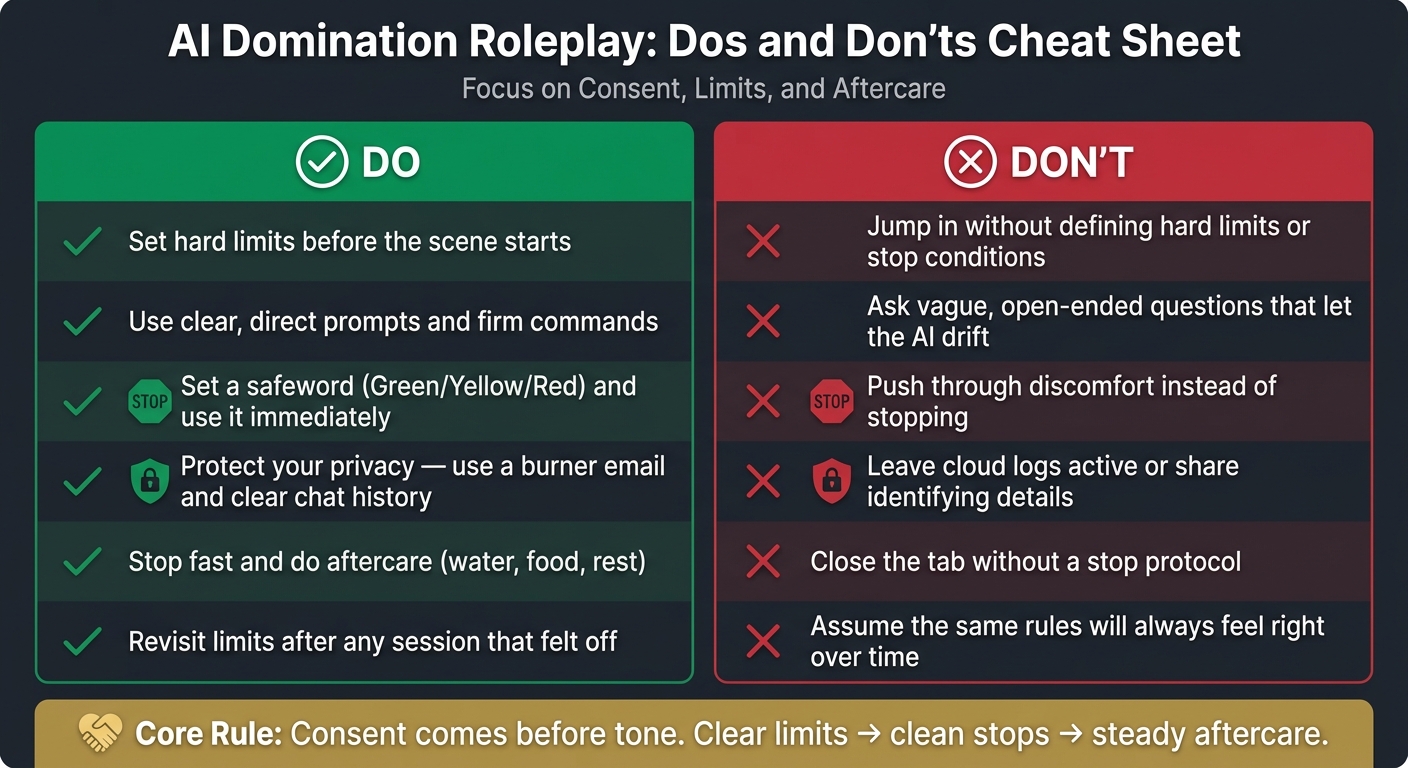
AI Domination Roleplay: Dos and Don'ts Cheat Sheet
Good AI domination depends on a few simple habits: clear limits, direct prompts, fast resets, and steady aftercare. Set boundaries first, run the scene with intent, stop cleanly, and check what shifted afterward.
Here’s the short version of the full checklist:
| Do | Don't |
|---|---|
| Set limits before the scene starts | Jump in without defining hard limits or stop conditions |
| Use clear, direct prompts and firm commands | Ask vague, open-ended questions that let the AI drift |
| Set a safeword and use it immediately | Push through discomfort instead of stopping |
| Protect your privacy - use a burner email and clear chat history | Leave cloud logs active or share identifying details |
| Stop fast and do aftercare | Close the tab without a stop protocol |
| Revisit limits after any session that felt off | Assume the same rules will always feel right over time |
Even with good prompts, drift still happens. AI personas can slip off track, so restate the rules and correct mistakes every session.
The core idea is simple: consent, clarity, and quick resets keep the experience under control and worth doing again. Set limits, run the scene, stop early, and review what happened.
FAQs
How do I know if my limits are specific enough?
Your limits work best when they read like clear rules, not loose preferences. Say what’s okay, what’s off-limits, how intense you want things to be, and exactly what should happen if you say "Pause."
If something feels fuzzy, tighten it up with direct "do not" instructions. That leaves less room for guesswork.
It also helps to begin with a small first step. Try something simple, see how it lands, then adjust right away if needed.
What should I do if the AI keeps going after I say stop?
If the AI keeps going after you say stop, use the Pause command right away. Your physical and emotional well-being matters more than the roleplay.
If it still doesn’t respond, reset the persona and restate your rules. You’re still in control outside the chat, so be clear about your limits and change the terms anytime it stops being fun or starts to feel unsafe.
How often should I review or change my scene rules?
Review and update your scene rules whenever the dynamic stops feeling fun, no longer matches your current boundaries, or starts to drift after a few sessions.
A short “story so far” recap can help a lot. Go back to your rules every three to four sessions to keep continuity and tone on track. If something feels off, reset the persona and restate your rules right away.