
AI BDSM Chat vs Scene Generator
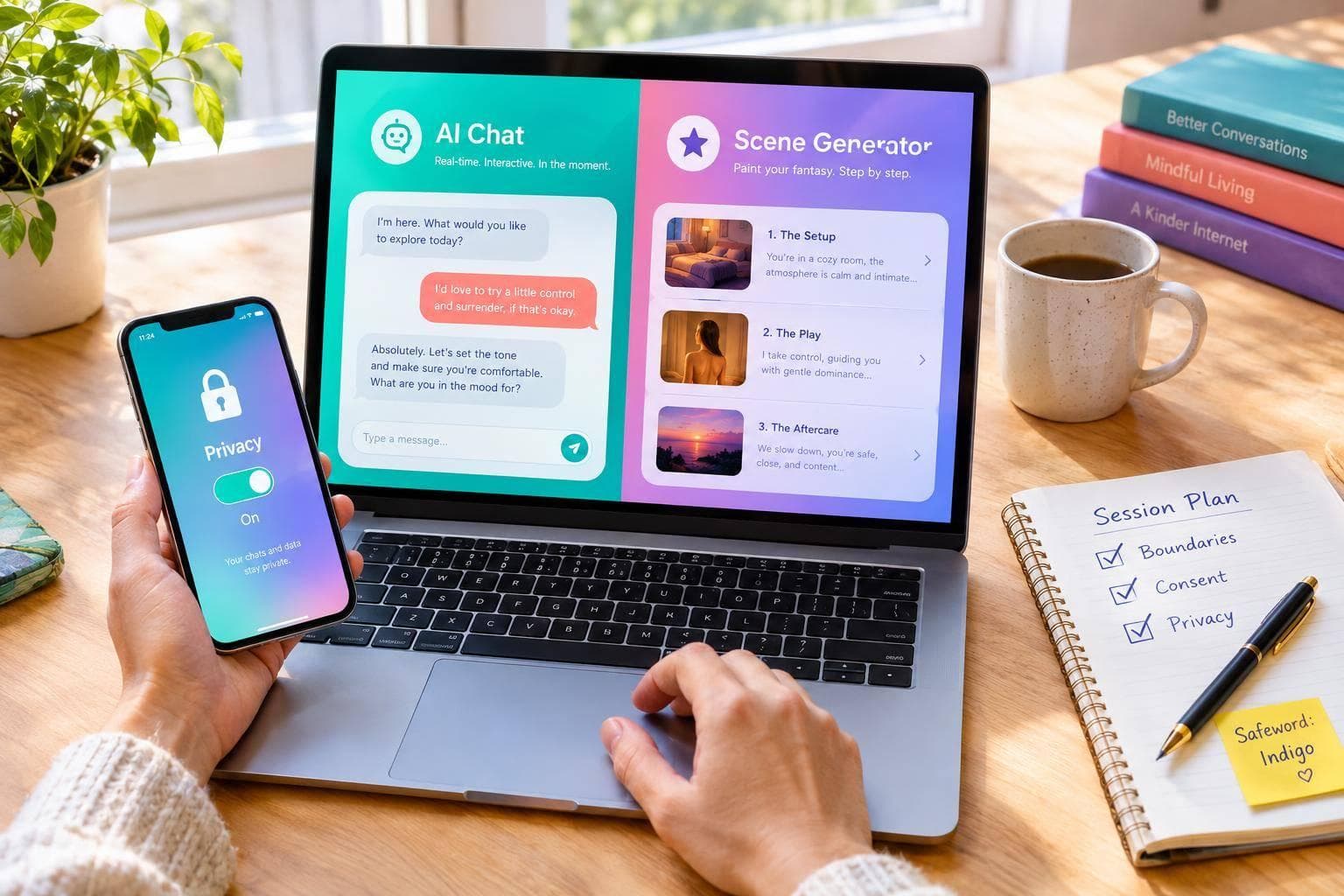
AI BDSM Chat vs Scene Generator
I’d choose AI BDSM chat for live dialogue and a scene generator for a written premise I can review first. For either format, I’d state limits, add a stop rule, and check data policies before sharing personal details.
The choice comes down to 2 formats: chat lets you steer each exchange; a generator lets you plan the setting and revise an outline. You can also use a reviewed outline to start a chat.
Quick Comparison
| Criterion | AI BDSM chat | Scene generator |
|---|---|---|
| Interaction and output | Live dialogue and character reactions | Written setting, premise, or outline |
| Customization | Persona, tone, and responses | Roles, atmosphere, and plot |
| Pacing and control | Redirect each turn | Set instructions before generation |
| Setup | Short brief with limits | More detail for a planned scene |
| Continuity | Depends on remembered chat context | Depends on the supplied brief |
| Revision | Correct the next reply | Edit the prompt and regenerate |
| Best fit | Improvised interaction | A reusable scenario |
AI Mistress is a chat example - not proof of a separate scene-generation tool. I’d check its current features and terms before paying.
My rule for both: <u>fiction is not instruction for actual encounters</u>. Neither format guarantees that limits will hold or data will stay private. I’d review outputs, stop if boundaries are ignored, and keep identifying details out.
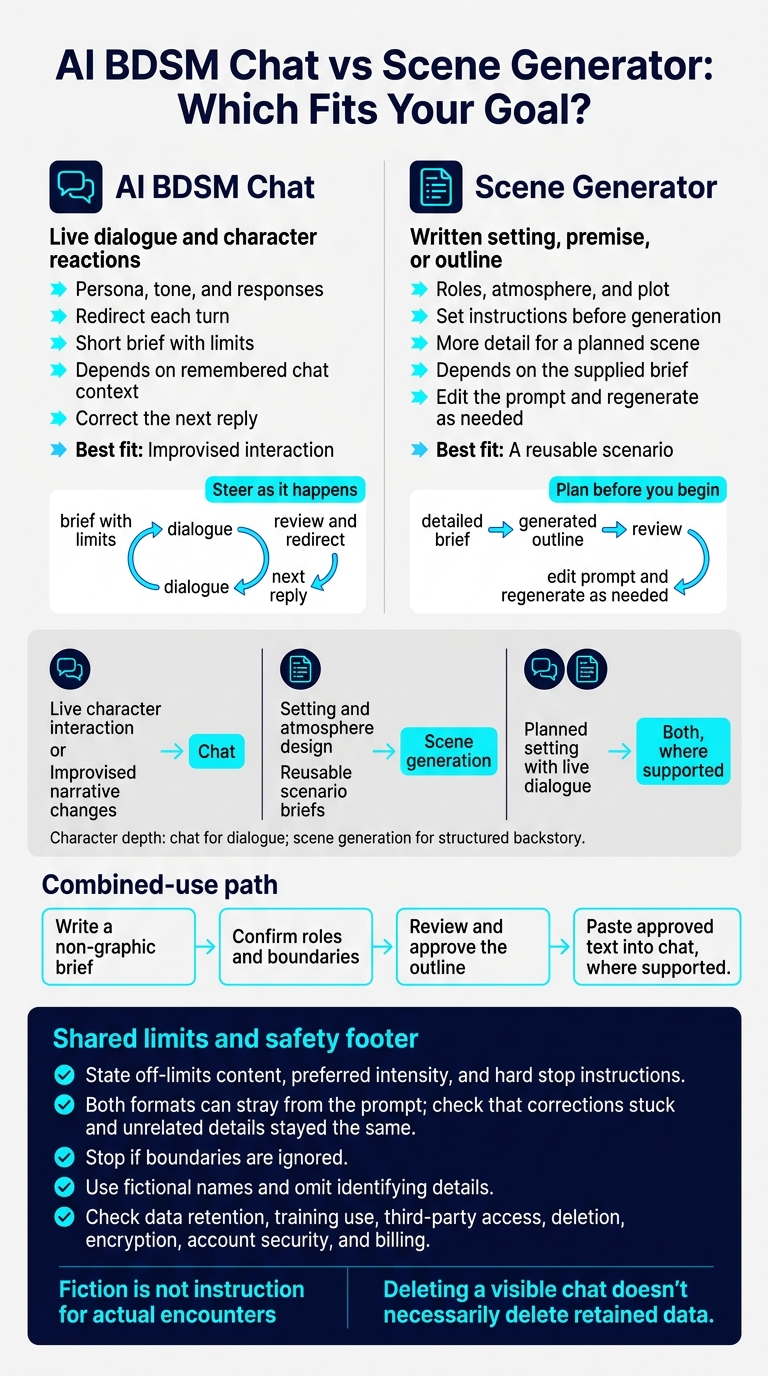
AI BDSM Chat vs Scene Generator: Which Fits Your Goal?
How AI BDSM Chat and Scene Generators Work
AI BDSM Chat: Live Roleplay
AI BDSM chat combines a language model with a character card or similar role instructions. Your opening messages set the role, tone, limits, and first command. Each reply influences the next turn, letting you redirect the dynamic or increase intensity as the scene unfolds.
Instructions can drift. Use a stop word or end the chat if a boundary is missed. Chat works best for pacing, escalation, and live responses.
AI Scene Generators: Settings and Plans
A scene generator helps you set the structure before roleplay begins. It turns your brief into an outline, typically using details such as location, time of day, lighting, mood, character roles, and boundaries. You can shape the fantasy before starting the roleplay.
Check what a “scenario” field actually does: Does it produce an outline, or just set up the first message?
AI Mistress: Webchat Roleplay
AI Mistress fits the chat model. AI Mistress offers Webchat for live domination roleplay, with customization options for persona and opening scenario. It offers free messages, with premium access adding custom character creation.
Use the free messages to test character consistency before paying. Check the current access limits, payment terms, and customization options, too.
A character creator doesn't automatically include a separate scene-generation feature. Read the privacy policy rather than assuming Webchat access guarantees privacy.
sbb-itb-97c8eab
Compare Interaction, Customization, and Control
Core Format Differences
Use chat to shape the interaction; use a scene generator to shape the setting and structure. The difference comes down to timing: you steer chat as it happens, while scene generation takes its direction before producing an output.
| Criterion | AI BDSM chat | AI scene generator |
|---|---|---|
| Interaction | Turn-by-turn conversation | Prompt-based generation and revision |
| Setting control | Adjusted through follow-up messages | Specified in a setup prompt |
| Pacing | Redirected with each message | Defined through narrative instructions |
| Output | Character dialogue and reactions | Setting description, outline, or scenario plan |
| Customization focus | Persona, tone, and responses | Environment, perspective, and structure |
| Continuity | Depends on retained conversation context | Depends on details supplied for each generation |
| Revision | Clarify or redirect the exchange | Edit instructions and regenerate |
| Best for | Responsive fictional interaction | Reusable written premise or setting plan |
Separate fixed limits from details you can change. Save traits, limits, and required setting details in one brief to help keep the fantasy consistent. Both formats can stray from the prompt.
Strengths and Limits
| Factor | AI BDSM chat | AI scene generator |
|---|---|---|
| Responsiveness | Responds to conversational cues but may misread them | Allows deliberate revisions but offers less immediacy |
| Immersion | Focuses on character presence and dialogue | Focuses on atmosphere and descriptive detail |
| Setup effort | Can start with a short brief; boundaries still need stating | Detailed settings usually require more preparation |
| Consistency | May drift during longer exchanges | May change details between generated versions |
| Control | Allows frequent course corrections | Supports upfront planning and targeted revisions |
After any correction or regeneration, check that the change stuck - and that unrelated details stayed the same. Review character traits, roles, and exclusions before continuing.
Which Format Fits Your Goal?
| Goal | Suitable format | Reason |
|---|---|---|
| Live character interaction | Chat | Supports responsive dialogue |
| Setting and atmosphere design | Scene generation | Focuses on setting details |
| Character depth | Chat or scene generation | Chat for dialogue; scene generation for structured backstory |
| Reusable scenario briefs | Scene generation | Produces a written premise you can save |
| Improvised narrative changes | Chat | Each message can redirect the exchange |
| Planned setting with live dialogue | Both, where supported | A reviewed brief can provide context for chat |
To use both formats, write a non-graphic brief and confirm roles and boundaries. Then paste the approved text into chat, where supported.
Before starting, put the stop rule in writing and check what data the tool stores.
AI in BDSM: Can a Robot Really Be Your Sub?
Set Boundaries and Review Privacy
After choosing chat or scene generation, set your boundaries and check privacy terms before you begin.
AI roleplay is fiction. Consent between real people must still be informed, specific, freely given, maintained throughout, and withdrawable at any time.
State Limits and Stop Instructions
For either format, spell out the power dynamic, off-limits content, preferred intensity, and hard stop instructions. Be clear about what the AI must not do.
In live chat, include these rules in your opening prompt. For scene generation, also include the backstory, relationship history, and sensory details.
If the AI ignores or forgets a boundary, correct it or end the session immediately.
Protect Personal Information
Use fictional names and leave out details that could identify you or anyone else. If you use AI Mistress Webchat, read its privacy policy before sharing sensitive preferences. Keep those preferences generic unless the policy clearly supports sharing more detail.
Check how the service handles data retention, training use, third-party access, deletion, encryption, account security, and billing. Deleting a visible chat doesn't necessarily delete retained data. If the terms are unclear, don't share sensitive details; a “private” label doesn't guarantee privacy.
Conclusion: Choose Chat, Scene Generation, or Both
Choose chat for live roleplay and a scene generator for a reusable premise. Or use both: generate a premise, then continue in chat.
AI Mistress uses Webchat, making it a fit for live roleplay.
Setup alone doesn’t guarantee compliance. Correct drift once; stop if your boundaries are ignored. Carry your limits into every new session, and review privacy before sharing sensitive details.
FAQs
How can I test whether chat respects my limits?
Test whether your AI Mistress respects your stated hard limits by repeatedly asking it to cross them. It should refuse immediately, without negotiation. Compliance, hesitation, or an apology for not complying sooner indicates a boundary failure.
Include “stop” or a safe word in your limits, then use it during escalation. The roleplay should end immediately - no arguing or bargaining. If the persona ignores “stop” or any boundary, end the session and leave.
How can I turn a scene outline into a chat prompt?
In AI Mistress, turn your outline into a short brief that covers roles, purpose, and scope. Include hard and soft limits marked yes/no/maybe, mood, setting, duration, reply style, maximum pace, stop rules (safewords or stop phrases), and how the roleplay should end.
Use this template:
“Roles and purpose… Scope… Limits… Style… Timing… Stop rules… Ending…”
Before approving the start of roleplay, ask the AI for a non-graphic boundary summary, a phased plan, and questions about any missing details.
What should I do if a privacy policy is unclear?
Don’t assume “the persona will forget.” Check how long saved memories and chat logs are kept and how each can be deleted. Review the rules for exports, account deletion, third-party access, and what protections remain after you clear your data.
If those details are missing or the controls aren’t available, contact info@ai-mistress.com. In the meantime, use aliases and don’t share identifying or sensitive information.