
End-to-End Encrypted AI Chat for BDSM Play
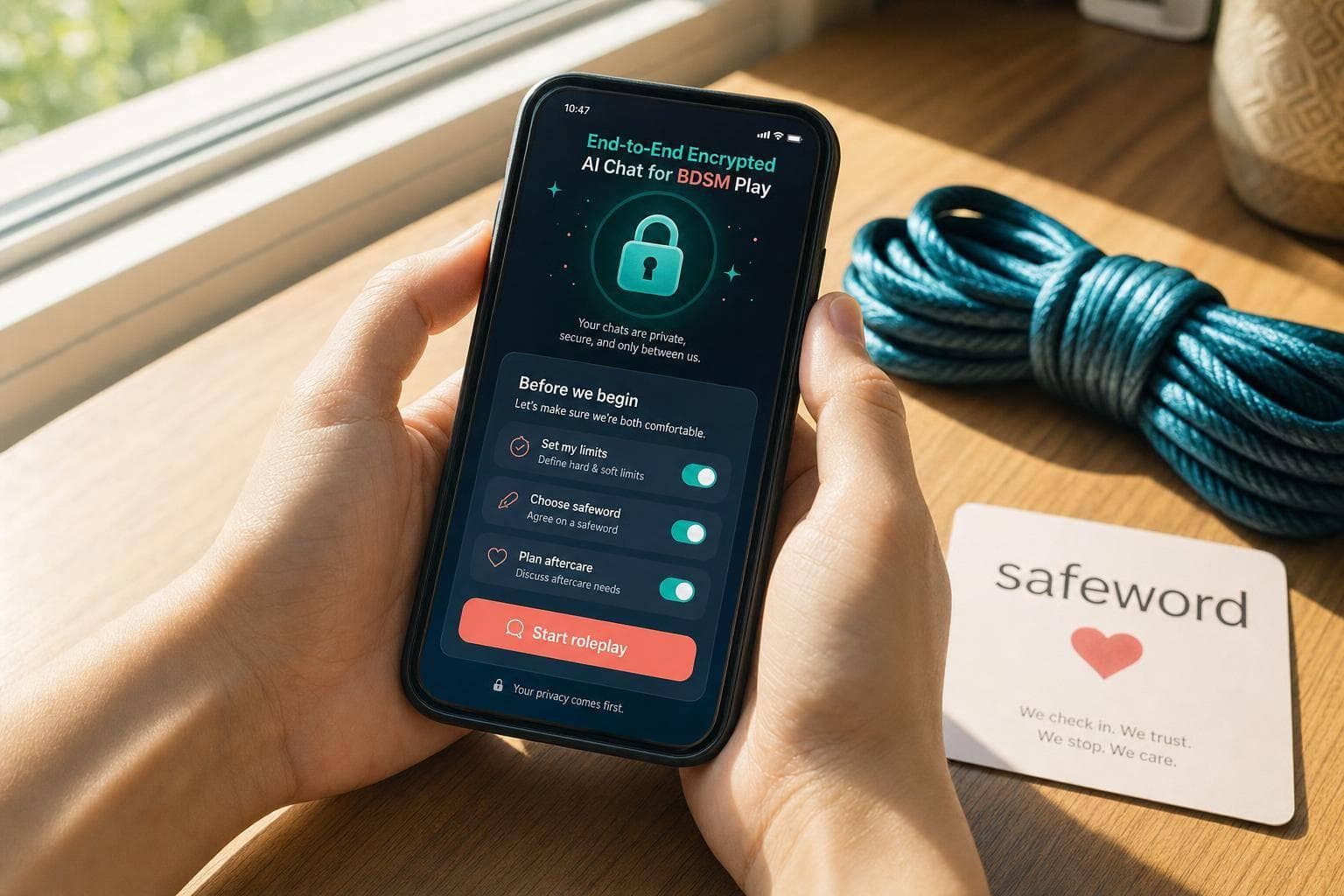
End-to-End Encrypted AI Chat for BDSM Play
Here’s the short answer: most AI BDSM chats are not end-to-end encrypted in the strict sense. If the service’s servers must read your prompt to reply, the provider can often access the text somewhere in the process.
Before I trust any adult AI chat service, I check four things first:
- Where messages are decrypted
- Whether chats are stored
- How long logs stay on the service
- Whether prompts are used for review or training
That matters because private adult chat can expose limits, kinks, account details, device data, and payment links. Even if the chat uses HTTPS, that only protects data while it travels. It does not mean the provider, backups, linked devices, or notifications are hidden from view.
A few plain facts:
- TLS/HTTPS is not the same as E2EE
- If AI runs on the provider’s server, plaintext is often visible there
- Metadata may still be logged like IP address, timestamps, device type, and account activity
- Stored chats, screenshots, cloud backups, and synced devices can leak private scenes
- Consent setup still matters: limits, stop words, and identity protection should be set before play starts
| What to check | Why it matters |
|---|---|
| Encryption scope | Tells me if only transit is protected or if the provider can also read content |
| Chat retention | Shows whether scenes stay on the service after the session ends |
| Training and review rules | Shows if prompts may be used by staff or systems |
| Device and backup exposure | Shows if chats can appear on locked screens, cloud sync, or other logged-in devices |
| Consent controls | Helps keep roleplay within agreed limits |
If a provider cannot clearly explain who can read chats, how long they keep them, and how deletion works, I treat that as a no-go for sensitive BDSM roleplay.
This guide breaks down the privacy limits of AI chat, the weak spots people miss, and the checks I’d do before sending anything personal.
How private are your conversations with AI chatbots?
sbb-itb-97c8eab
How End-to-End Encryption Protects BDSM Chat
End-to-end encryption (E2EE) means only the sender and the intended recipient can read a message. In AI chat, that promise often falls apart on the server side.
Most adult AI platforms use HTTPS/TLS to protect data in transit. That secures the connection between your device and the server. But it is not the same as E2EE. That difference matters because privacy gaps often show up after the message leaves the connection.
How Your Message Travels From Device to AI Endpoint
Here’s the basic path a message takes in a standard AI chat setup:
- You type a message - your browser or app encrypts it with TLS before it leaves your device.
- It travels to the provider's server - the server decrypts the message, the model reads the plaintext prompt and generates a reply, and the server encrypts the response again.
- The response is sent back to your device.
The key moment is step 2. In a true E2EE system, the provider’s server would never see readable text. But AI models need to read your prompt to answer it. So unless processing happens fully on-device, the message has to be decrypted somewhere inside the provider’s setup.
Where AI Processing Can Break the E2EE Assumption
This is the heart of the issue with E2EE claims in AI chat. Unless the AI model runs fully on your device - which is rare and hard to pull off - your prompts must be decrypted on the provider’s servers so the system can generate a reply. Put plainly: the provider can, at least in principle, access what you typed.
If a service screens prompts, moderates content, or enforces policy rules, it can read plaintext somewhere in the pipeline. That is not E2EE.
So transport encryption is only one piece of the privacy picture. The next part is what E2EE hides - and what can still leak through devices, backups, and session links.
What E2EE Does and Does Not Hide
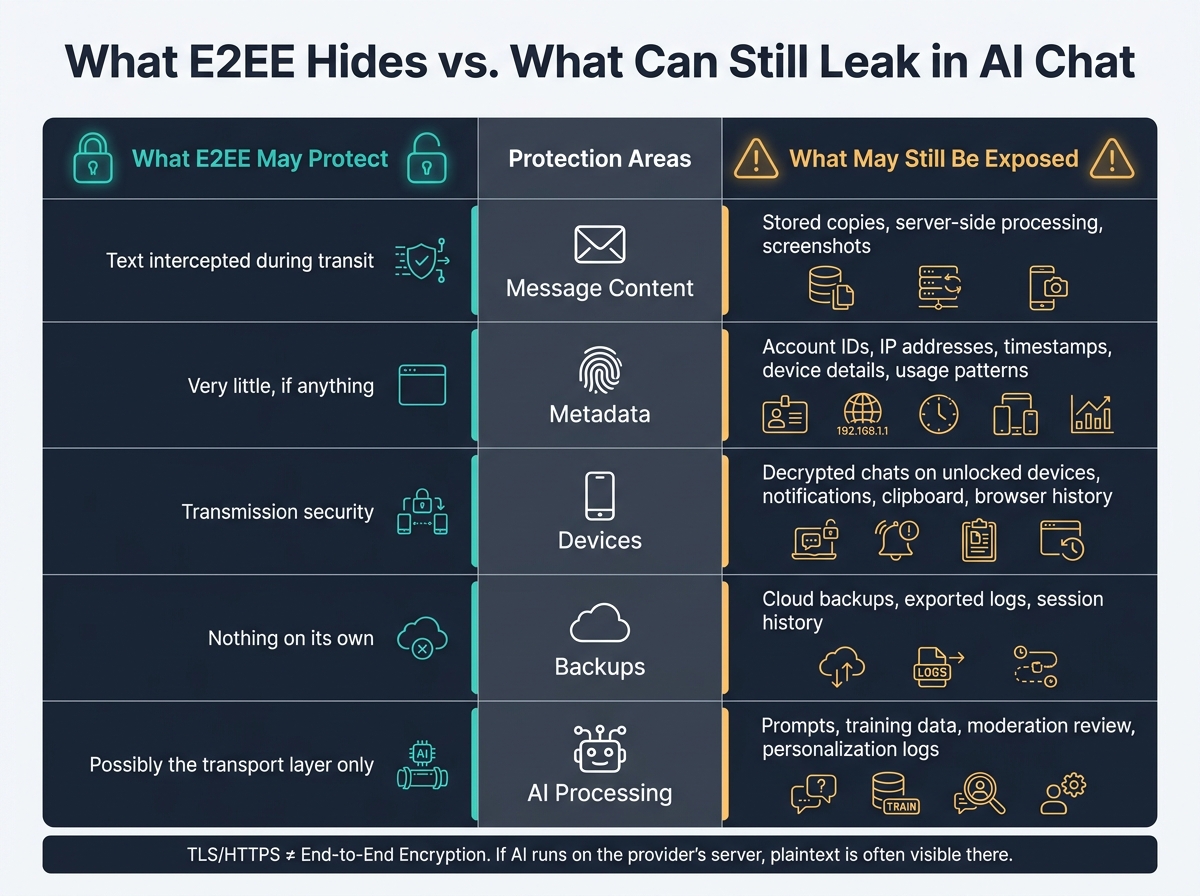
What E2EE Hides vs. What Can Still Leak in AI BDSM Chat
E2EE protects data in transit. It does not hide every copy or trace of a chat.
That leaves a lot of the risk surface untouched: metadata, devices, backups, and linked sessions.
E2EE often does not hide metadata. A platform may still log your IP address, account ID, timestamps, device details, and usage patterns. Even if the message itself stays encrypted, those records can still point to recurring BDSM use.
Device Access, Screenshots, Backups, and Linked Sessions
E2EE does not protect chat history sitting on an unlocked device. If someone can open the device, they can read the chat. Content can also slip out through screenshots, clipboard data, browser history, notifications, and synced devices.
A chat may be encrypted while traveling between devices and still show up in a push notification. It may also sync to a cloud backup if that backup is not separately protected. And there’s another weak spot people miss: malware, keyloggers, and compromised browser extensions can grab what you type before encryption starts.
Logged-in devices are another problem. If you’re signed into the same account on a work laptop and a personal phone, both may be able to access the full chat history. Logging out of old sessions and turning off chat history, where that option exists, cuts down that exposure.
Data Storage and Retention Questions to Ask Before Roleplay
Before roleplay, ask:
- Are chats stored, and for how long?
- Is stored content encrypted at rest, and who controls the keys?
- Are prompts used for AI training or safety review?
- Can you delete conversations, and does deletion also remove backups?
AI Mistress requires an account, so chats persist and abuse can be blocked; anonymity does not mean no storage. That’s the kind of plain disclosure worth checking before you start a session.
Payment records matter too. Billing logs tied to your real name or email can stick around even after you delete chat history.
Comparison Table: What E2EE Hides and What Can Still Leak
| Protection Area | What E2EE May Protect | What May Still Be Exposed | Verification Question |
|---|---|---|---|
| Message content | Text intercepted during transit | Stored copies, server-side processing, screenshots | Are chats stored, and can anyone on the provider's side read them? |
| Metadata | Very little, if anything | Account IDs, IP addresses, timestamps, device details, usage patterns | What metadata do you log and retain? |
| Devices | Transmission security | Decrypted chats on unlocked devices, notifications, clipboard, browser history | Is content visible on linked or synced devices? |
| Backups | Nothing on its own | Cloud backups, exported logs, session history | Are backups encrypted, and can I delete them? |
| AI processing | Possibly the transport layer only | Prompts, training data, moderation review, personalization logs | Are my prompts retained or used for model training? |
These privacy gaps matter because consent needs the same level of control as content.
Consent and Boundaries for Private AI BDSM Roleplay
Encryption protects transport; consent governs the scene. Once you know who can access your logs, the next step is deciding what can happen inside the scene.
Set Roles, Limits, and Exit Controls Before the Scene Starts
Handle the setup before anything starts. One clear briefing is better than trying to negotiate in the middle of roleplay. Spell out the allowed language, intensity, hard limits, and any themes that are off the table. Put the rules in plain terms, and if consent becomes unclear at any point, stop right away.
Set one stop command before roleplay begins. Tell the AI to end the scene immediately when you use it. Use a separate pause cue for short step-outs. If the AI ignores the stop command, don't keep going.
Once stop rules are set, the next job is protecting any detail that could expose you outside the roleplay.
Protect Your Identity and Avoid Real-World Harm
Don't share your real name, address, workplace, payment details, passwords, codes, or private images. The same goes for anyone else's identifying information. Sharing details about another person without their knowledge or permission causes harm on its own, even if the setup is fictional.
"Forced", "blackmail", and similar CNC labels describe negotiated fantasy, not real coercion, threats, or financial pressure.
If it stops feeling consensual, end the scene.
What to Check in an AI Service Before Sending Sensitive Prompts
Before sending anything sensitive, read the actual policy, not the marketing page. Check age gating, moderation access, and transcript handling. Confirm whether encryption is end-to-end or only in transit or at rest. If a service can't clearly explain where your prompts go, who can read them, and how long they stay stored, don't assume they vanish when the chat ends.
Before you begin, check:
- encryption scope
- retention
- account logging
With consent rules and policy checks in place, move to the privacy checklist before you start.
Pre-Chat Privacy and Safety Checklist
Run this checklist before you send your first sensitive prompt.
Verify Encryption Scope and Provider Access
Start by finding out whether the provider can read your messages after they leave your device. Check the docs for two things: where decryption happens and who controls the keys.
You should also look for settings or policies that explain whether you can turn chat history off or ask for permanent deletion. If any of that is vague, assume the provider can access your chats.
If the provider can't give a clear answer, stop there.
Lock Down Devices, Accounts, and Identity Exposure
Your device is often the weak spot once the chat is over. Use a strong passcode and set a short auto-lock timer. Turn off notification previews so messages don't pop up on a locked screen.
Use a password for your chat account that you don't use anywhere else. Never use a shared device for private roleplay. Check which devices are linked to your account, and remove any you don't recognize. Review cloud backup syncing too. Keep backups encrypted, or switch them off.
Final Go/No-Go Checklist Before Private Roleplay
Use this last check to decide whether your setup is safe enough to move forward. Every Fail is a reason to pause.
| Check | Pass / Fail |
|---|---|
| Encryption is confirmed E2EE and the provider cannot read messages | |
| Retention period is clear and deletion is user-controlled | |
| Backups are encrypted or disabled | |
| Device is locked and not shared | |
| Account uses a unique password | |
| Notification previews are off | |
| Hard limits and stop command are set before the scene starts | |
| No real-world identifiers included in prompts or profile fields | |
| Deletion and exit steps are saved and ready |
If every row checks out, your setup is about as safe as that service allows. If even one item is unclear, get a direct answer from the provider before you send anything sensitive.
FAQs
Can AI chat be truly end-to-end encrypted?
No. The sources talk about encryption in transit and privacy controls, but they do not describe true end-to-end encryption.
That matters because end-to-end encryption means only you and the recipient can read the message. The service provider can't decrypt it.
Here, the sources also say chats are hosted and processed to generate replies. That usually doesn't line up with true end-to-end encryption.
So the plain-English takeaway is this: treat it as encrypted and private, but not guaranteed end-to-end encrypted.
What metadata can still expose my activity?
Even if an AI chat is encrypted, metadata can still show that something happened. It may appear in connection logs or account records, including:
- that you used the service
- session or conversation timestamps
- device or connection details
- IP-based location signals
- whether you were logged in
It’s also smart to check how session data is handled. Look at the privacy policy to see whether chats can be deleted and whether chat history can be turned off.
What should I check before starting a private BDSM chat?
Before you start a private BDSM chat, set the ground rules first. Be clear about consent, boundaries, hard limits, soft limits, and a safe word or a simple “stop/pause” phrase. That way, both people know what’s okay, what’s off-limits, and what to do if something needs to slow down or stop.
It’s also smart to check the platform’s privacy settings before you share anything personal. Avoid giving out real identity details, and take a minute to see what data the site stores, how long it keeps that data, and whether you can delete your chat history. In a space like this, a little caution goes a long way.